A Drone Simulator That Looks Right
What a polished browser drone lab teaches well, what its physics leaves out, how to tell the difference, and the steps from a browser tab to a real drone
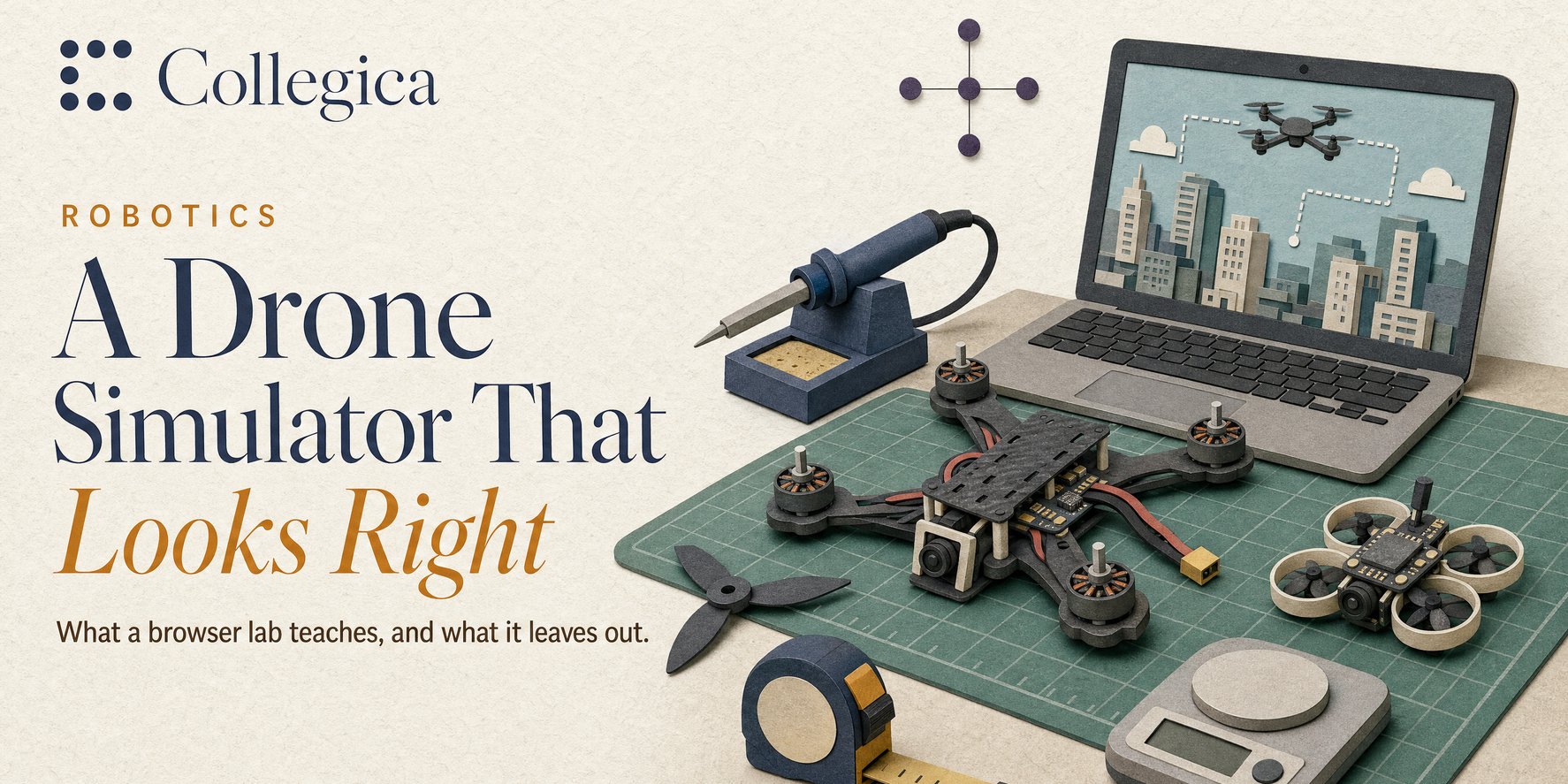
In late October a LinkedIn post showed a browser app where you build a drone part by part, wire it, calibrate it and fly it: a racing quad, a delivery drone, a crop sprayer, a flying wing, a swarm of tiny Crazyflies. It looked superb. Most of the comments asked for the link, and a few asked something better: does it obey physics?
The app is Drone Lab, at drone-engineer.vercel.app. It runs entirely in your browser, and its code is readable, so we read it. We also ran a research-grade drone simulator on a home server to compare. This article is about the difference between a simulator that looks right and one that is right, and why a beginner should use both.
- Drone Lab teaches the build well: the order parts go in, which way each motor spins, why a backwards flight controller flips the drone, and the thrust-to-weight arithmetic that decides whether a design flies at all.
- Its physics is a game’s physics. The drone’s tilt follows your stick directly; there’s no rotor dynamics, no flight controller tuning, and thrust doesn’t fade with speed. That’s fine for learning the layout, not for learning to fly or to design.
- Its numbers are rules of thumb, in the right range. For the Crazyflie it gives 6.3 minutes of flight; Bitcraze says 7. But its drone is 5 g lighter than the real one with the same parts, and the battery is on the wrong side of the board.
- A real simulator is free and runs at home. We tested two generations on a home server’s RTX 3070: CARLA-Air (Unreal Engine 4.26) flew a drone at 36 fps using 2.5 GB of RAM; CARLA 1.0 (Unreal Engine 5.8, released 17 November
- drove an autopilot car at 48 to 52 fps using 5.6 GB of RAM after a system upgrade to NVIDIA driver 580.173.02.
- The steps to a real drone: a browser lab, then the simulators the professionals use (PX4 or ArduPilot with Gazebo), then a drone under 250 g, which in Canada needs no registration or pilot certificate.
What the browser lab teaches well
Drone Lab’s best idea is the workshop. For each of its 13 craft you place the parts on a mat in a sensible order, and it explains each one: why the capacitor on the battery lead matters, why the flight controller’s arrow must point at the nose, why two of the four motors spin the other way. Then it lets you make the classic mistakes on purpose: a capacitor in backwards, a motor spinning the wrong way, props on the wrong motors. Each has a consequence in the flight that follows.
That’s the cheapest place to learn those lessons. On a real bench, a reversed battery lead can destroy a flight controller, and a motor spinning the wrong way flips the drone on its first take-off.
The second good idea is the calculator. Pick a battery, motors and propellers, and it shows the all-up weight, thrust-to-weight ratio, hover throttle and flight time. That arithmetic is real drone design:
- Thrust-to-weight is the total thrust of the motors divided by the drone’s weight. Below 2:1, a drone barely climbs and can’t correct in wind; racing quads run 10:1 or more.
- Hover throttle is how much of that thrust it needs just to stay up.
- Flight time is the battery’s usable energy divided by the power to hover, then cut down for real flying.
Drone Lab’s default racing quad (a 6-cell battery, 1750KV motors, 5-inch three-blade props) comes out at 514 g, 12.5:1 thrust-to-weight, a 28% hover throttle and about 5 minutes of flying. A beginner who understands why those four numbers move together has learned something real.
Where its physics stops
Drone Lab’s code is in plain view in the page, so its flight model can be read rather than guessed. Our notes go through it line by line. In short:
| What a real drone has | What Drone Lab does |
|---|---|
| A flight controller that measures rotation thousands of times a second and adjusts each motor (the “PID loop”) | The drone’s tilt moves straight toward where the stick points, smoothly. There is no controller to tune |
| Rotational inertia: motors must speed up and slow down to tilt the drone | None. Tilt changes without any motor doing it |
| Propeller thrust that falls as the drone flies faster | Thrust depends only on the throttle |
| Sensors with noise and drift, and software estimating where the drone is | The drone knows its exact position and angle |
| Gusts, turbulence, ground effect | An optional gentle breeze |
| Motor and propeller test data | A formula: thrust grows with the motor’s no-load speed squared, tuned by one constant per drone |
None of this is a flaw for what the app sets out to do. It’s a game built to teach the layout and the vocabulary, and it does that well. But it’s why the engineers in the comments were uneasy. One pointed out errors in the Crazyflie setup that would make the simulator unreliable for flight controls. A company owner said they’d hired an aerospace engineer to build something similar, because getting the physics right is a very different job from listing the parts.
Checking its numbers against a real drone
The fairest test is a drone whose maker publishes its specifications. Bitcraze’s Crazyflie 2.1+ is a 92 mm open-source quadcopter used in universities, and Drone Lab includes it with two add-on boards: a Flow deck (a downward camera and laser that hold position over the floor) and a Lighthouse deck (receivers that work out position from infrared base stations).
| Drone Lab | Bitcraze | |
|---|---|---|
| Weight with both add-on boards | 28.4 g | 33.3 g (29 g, plus 1.6 g and 2.7 g for the boards) |
| Flight time | 6.3 minutes, with both boards | 7 minutes, with no boards |
| Lighthouse board | 1.8 g | 2.7 g |
| Battery | Under the board, with a strap | On top of the board, between the pins, held by a battery-holder board |
| Lighthouse base stations | In the scene (since the version of 5 November) | Needed for Lighthouse positioning |
The flight time is in the right range, which is what a rule of thumb can do. But the drone is about 5 g lighter than the real one, which matters on a drone whose recommended maximum payload is 15 g, and its flight time belongs to a lighter drone than the one on screen. The battery position is the error the commenter spotted; the missing base stations they also mentioned have since been added.
For the racing quad we wanted to check thrust against a real motor’s test data. Motor makers publish those tables, but mostly as images, and we couldn’t read them reliably enough to quote. That’s worth knowing too: the evidence behind a calculator is often harder to get than the calculator.
A real simulator, at home
Research labs fly drones in simulators built on game engines, with the same kind of flight software real drones run. To see what that takes, we ran CARLA-Air on a home server. It combines two well-known open-source simulators in one Unreal Engine program: CARLA, a city built for testing self-driving cars, and AirSim, a drone simulator. CARLA-Air has its own licence, “for academic and non-commercial research purposes only” (commercial use needs written permission); the CARLA and AirSim parts it bundles are MIT-licensed, and CARLA’s city assets are CC-BY.
CARLA 1.0 was released on 17 November 2026. It moves CARLA from Unreal Engine 4.26 to Unreal Engine 5.8, on CARLA’s own engine fork, and CARLA calls the 4.26 line (0.9.16 and earlier) “obsolete” and soon to be deprecated. The test below used CARLA 0.9.16, the version CARLA-Air bundles (its README lists CARLA 0.9.16, AirSim 1.8.1 and Unreal Engine 4.26; its latest release, v0.1.7, is from March 2026, and its README shows no change since April). So the numbers below are for the older engine and do not carry over to 1.0, which was not run here. CARLA-Air has not moved to 1.0 as far as its page shows.
What 1.0 adds, from CARLA’s announcement (not tested here): Unreal Engine 5.8 rendering with Lumen, hardware ray tracing and a path tracer; ray-traced and fisheye (Kannala-Brandt) cameras; a hybrid solid-state LiDAR modelled on a Hesai AT128; V2X sensors; support for NVIDIA’s NuRec 26.04 scenes (see the NuRec article) and for Cosmos weather and lighting variations, which CARLA says are still being validated on GPU hardware; ROS 2 middleware choices; the classic Town01 to Town07 maps back alongside Town10HD; RTX 50-series support with driver 570 or later; Docker image carlasim/carla:1.0. Some script changes will bite old code: renamed Waypoint lane methods, a corrected pitch and roll order, and actor.destroy() now always asking the server. The announcement gives no minimum GPU or memory, and says nothing about drones or AirSim-style flight.
We ran it on 18 November. On our home server (RTX 3070, 8 GB) CARLA 1.0 would not start at first: with graphics driver 550.127.05, headless in Docker, Unreal Engine 5.8 stopped each time with “Vulkan device could not be created at the project’s supported feature levels”, across four launch variants, and a second machine (WSL2, RTX 2080) failed the same way. After we upgraded the server’s operating system, TrueNAS, to a release with NVIDIA driver 580.173.02, it started and ran: a car driving on autopilot through the Town10HD_Opt city, with a 1280 × 720 camera, at 48 to 52 frames per second, using about 5.6 GB of memory and 6 GB of the graphics card (two runs; quality Low). The old driver is the likely cause, but the operating system changed with it, so it is not proven. It is a car, not a drone, because CARLA-Air has not moved to 1.0, so the figures are not comparable with the test below. One crash: asking the client to load the map again made the server segfault; leaving the map as the server started it worked. The test record has the details.
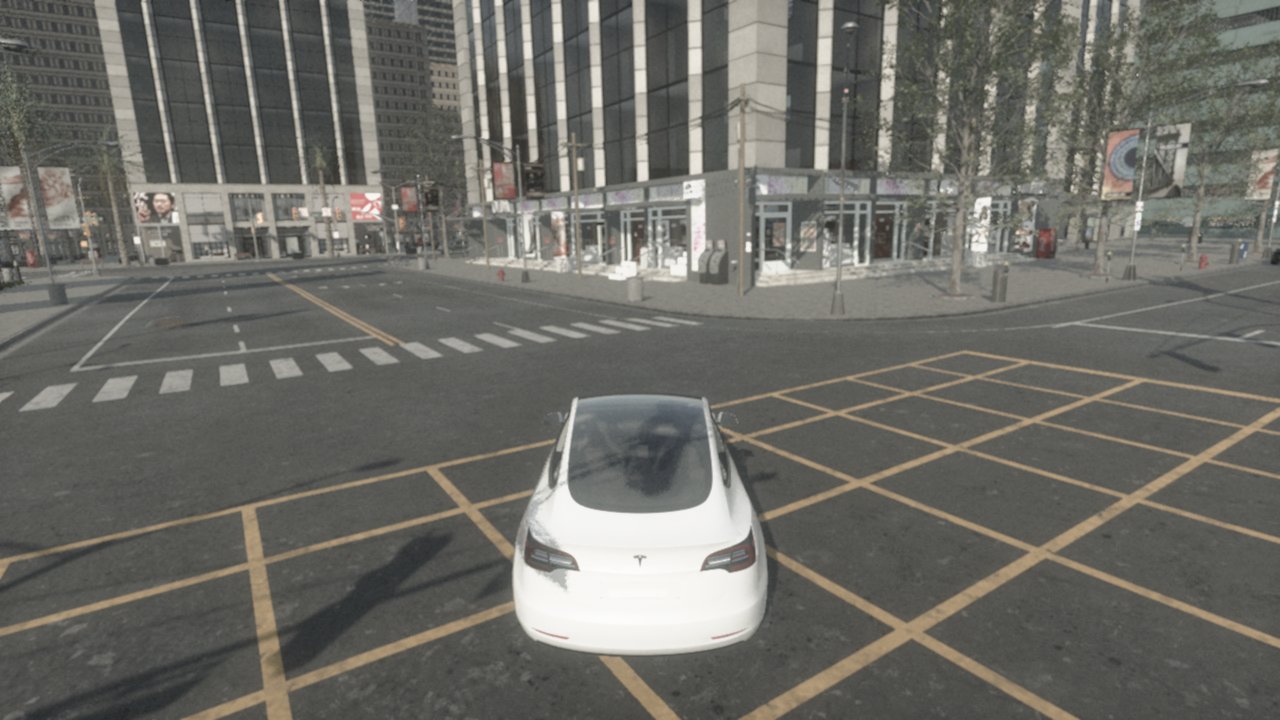
The server is the one from our homelab article: a desktop processor, 31 GB of memory and an RTX 3070 graphics card. We downloaded the 6.8 GB prebuilt Linux version, ran it without a screen in a container, and had a short Python script fly the drone up to 30 m and round a 40 m square while a car drove itself through the streets below.
| Result | |
|---|---|
| Frames per second, idle | 60 |
| Frames per second, drone flying, car driving, images saved | 36 |
| Memory | about 2.5 GB, plus 2.4 GB on the graphics card |
| Corners reached within | 0.25 m |
| Setup | one fix: telling the container where the graphics card’s driver was |
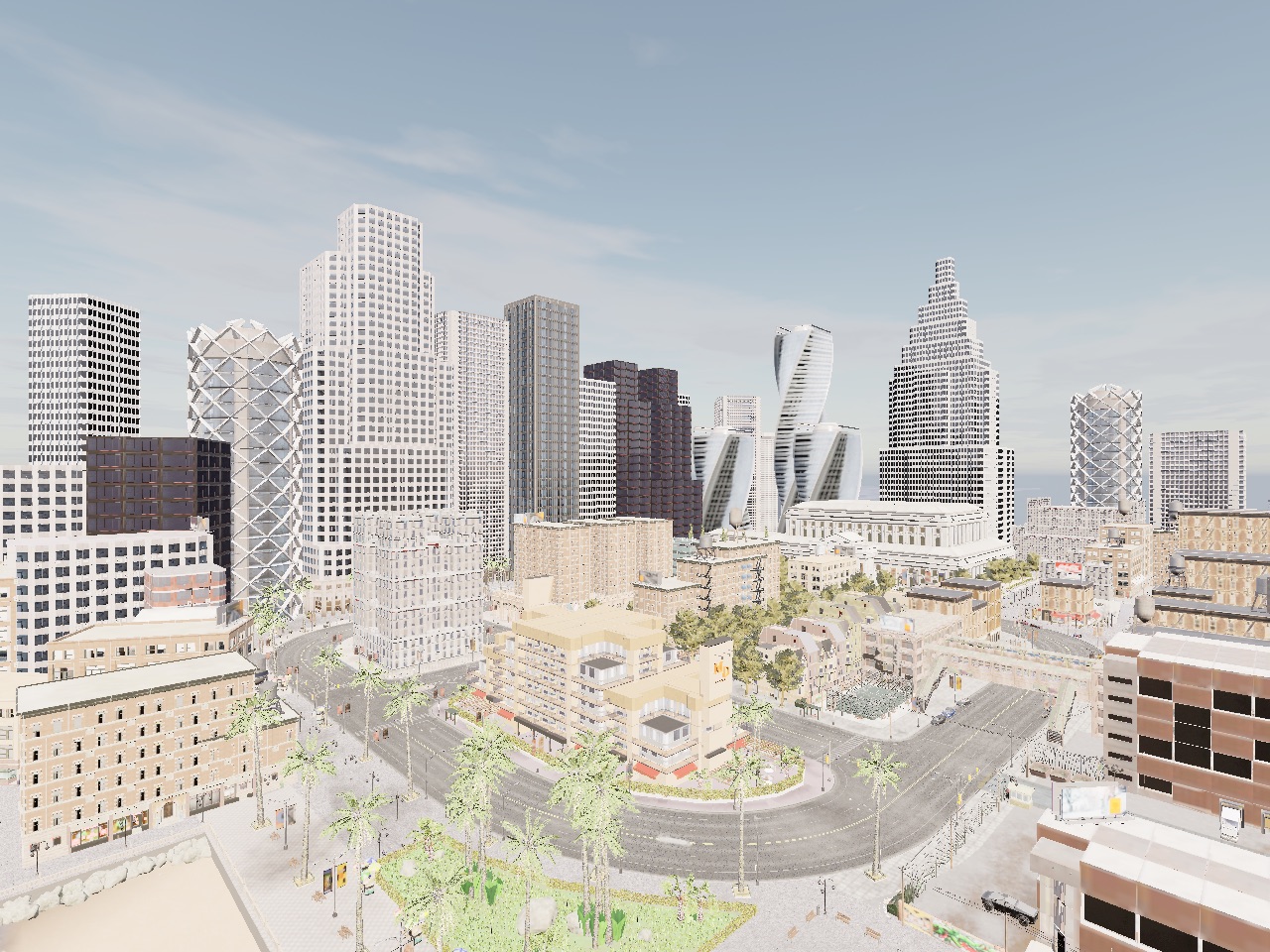
It looks even better than the browser lab. And that’s the point of this article: looks are not the test. The drone we flew used AirSim’s simple built-in controller, not the flight software a real drone runs, and two things in its log didn’t add up (it started 29 m below its own zero, and its landing command returned while it was still in the air). A good simulator earns trust by being checked against real flights, not by its pictures. The full test report has the setup and the numbers.
From the browser to a real drone
A sensible order for a beginner, each step free or cheap:
- A browser lab like Drone Lab. Learn the parts, the build order, the classic mistakes and the four numbers. An afternoon, no install.
- The simulators the field uses. PX4 and ArduPilot, the two main open-source autopilots, both run on an ordinary computer with a simulated drone: the same flight software that flies real drones, so what you learn about modes, failsafes and tuning carries over. PX4 uses the Gazebo simulator (one command,
make px4_sitl gz_x500, on Ubuntu); ArduPilot’s simulator also runs on Windows. For the Crazyflie, CrazySim runs its real firmware in Gazebo. - A real drone under 250 g. In Canada, a drone under 250 g is a microdrone: it needs no registration and no pilot certificate, though the safety rules still apply. A Crazyflie 2.1+ (29 g, about C$343 at RobotShop Canada in November 2026) is programmable from Python, and its simulator and the real thing share the same code.
- A 5-inch quad, later. At around 500 g it must be registered with Transport Canada, and you need a pilot certificate, which means passing an online exam. Build it after the simulator has taught you what each part does.
The AI angle
Drone Lab’s code carries notes for a “SKILL.md” file, the instruction format AI coding assistants use, which suggests it was built with one. Within days of the post, two more drone labs appeared on GitHub, one describing itself as a re-implementation of Drone Lab and probably built the same way. A polished simulator is now a few days’ work.
That makes the old question more important, not less. When anyone can produce something that looks right, the useful skill is knowing how to check it: read the model, compare its numbers with a maker’s data, and fly the real thing. Our Robotics course is built on simulation for exactly that reason, and on knowing what the simulation is.
Sources
- The app. Drone Lab, read from its source on 5 November 2026; our notes are in the research folder. Its author and licence are not stated.
- The post. LinkedIn, October 2026, and its comments. Re-implementations: build-a-drone, drone-simulator.
- The Crazyflie. Bitcraze: Crazyflie 2.1+, getting started, Flow deck v2, Lighthouse deck. Price: RobotShop Canada, 5 November 2026.
- The simulators. CARLA-Air and its paper and licence; CARLA 1.0 release and its release notes; PX4 with Gazebo; ArduPilot SITL; CrazySim.
- The rules. Transport Canada, Drone Zone, October 2025 and drone pilot certificates.
- Our tests. CARLA-Air on a home server (CARLA 0.9.16, UE 4.26) and CARLA 1.0 on a home server (CARLA 1.0, UE 5.8).